Let the visitor choose the route
Floor exploration creates a sense of place; direct directory navigation serves people who already know what they need.
Project 01 / Places & experiences
A city within a city. An interactive building, a searchable directory, and a clearer way to find your next destination.
Directory content was captured in September 2026. Visitor and leasing results have not been measured.
Floor exploration creates a sense of place; direct directory navigation serves people who already know what they need.
Search, floor filters and individual place details connect the building model to a practical visitor task.
Representative 3D spaces are labelled, while the leasing listing uses published information and photographs.
An interactive building that becomes a guide to the city inside.
Independent concept · Harare, Zimbabwe · September 2026
Joina City brings shopping, dining, offices and visitor services into one building. This project translates that physical structure into an interactive website: explore the exterior, choose a floor, travel through an elevator transition, then find the places and practical information on that level.
The result combines a navigable 3D model with a searchable directory of 61 published places. It is an independent design and development concept, not an official Joina City website or a claim of a commissioned engagement.
The central idea was to make the building itself useful as navigation. Visitors should be able to understand the different floors, find a shop and explore office enquiries without losing their sense of where they are.
The scope included the interactive exterior, interior environments, directory and search, leasing information, motion, responsive layouts and integration of the supplied Blender assets. The building and its interior layouts are illustrative models, not architectural plans.
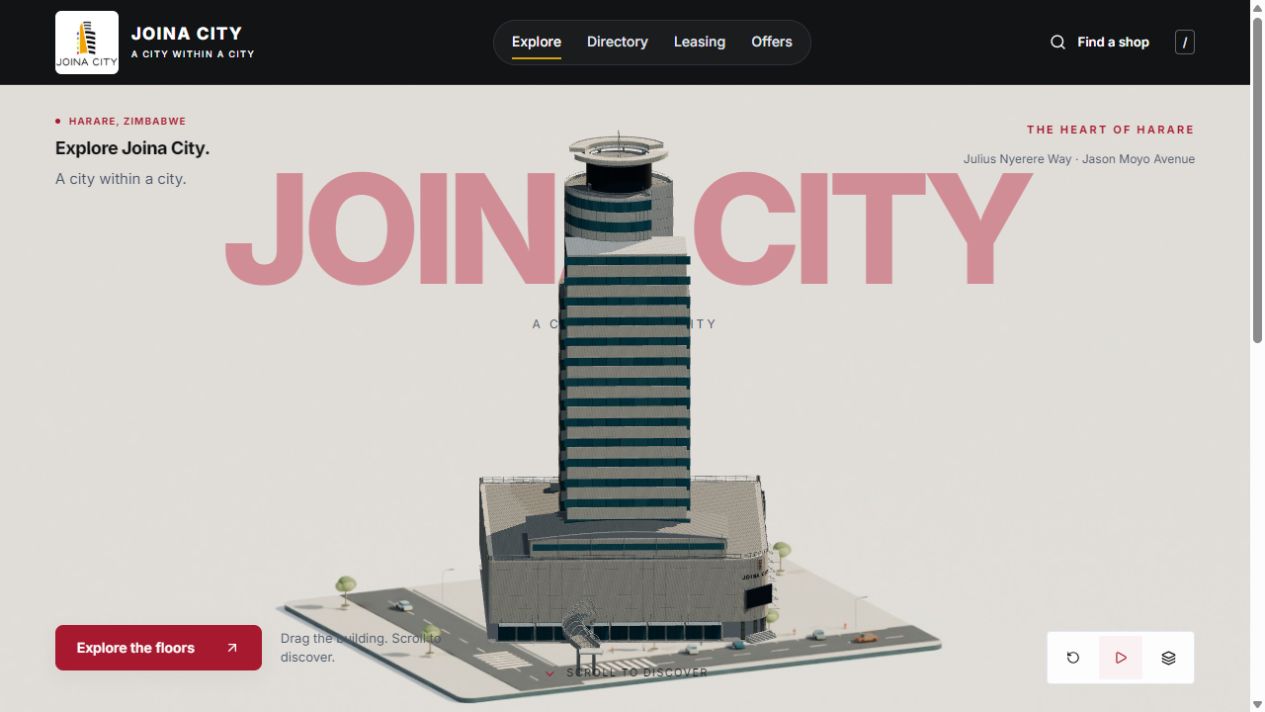
The opening pairs large Joina City typography with the exterior model and its streetscape. Visitors can rotate the building or select Explore the floors. The exterior contains 21 independently animated sections, allowing the architecture to separate into destinations.
The streets, trees, vehicles and plaza stay in place while the building moves. This preserves a visual point of reference. A rendered image appears while the interactive geometry loads, so the introduction has a useful first frame.
Scrolling leads from the opening into normal page content. Visitors can also go directly to the directory, leasing information or offers through the main navigation.
Choosing a floor connects the exterior to an elevator transition. Doors close, the floor indicator counts to the destination and the interior loads before the doors reopen. Skip controls provide a direct route through the sequence.
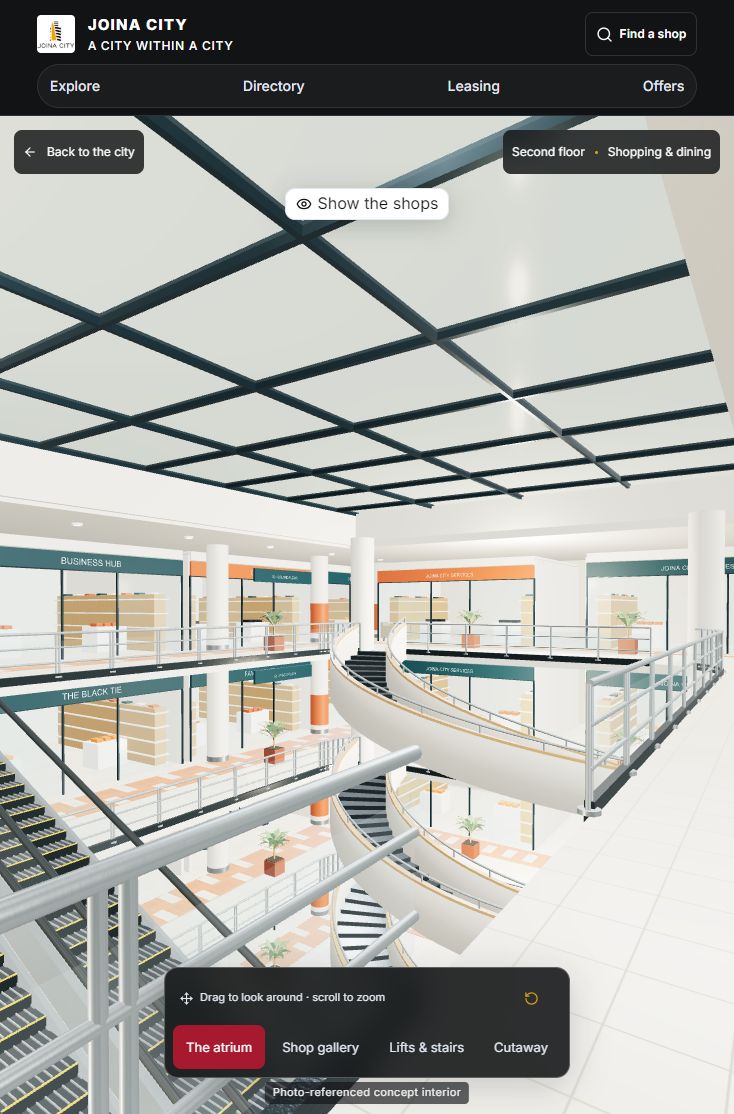
Retail levels use the supplied mall model at their corresponding heights. The basements have a parking environment; office floors use a representative suite. Visitors can look around with pointer or keyboard controls, zoom and choose different views.
A directory window sits over the interior. It can switch between glass and solid surfaces or be hidden entirely to explore the room. The solid option protects readability when the environment behind the panel is visually busy.
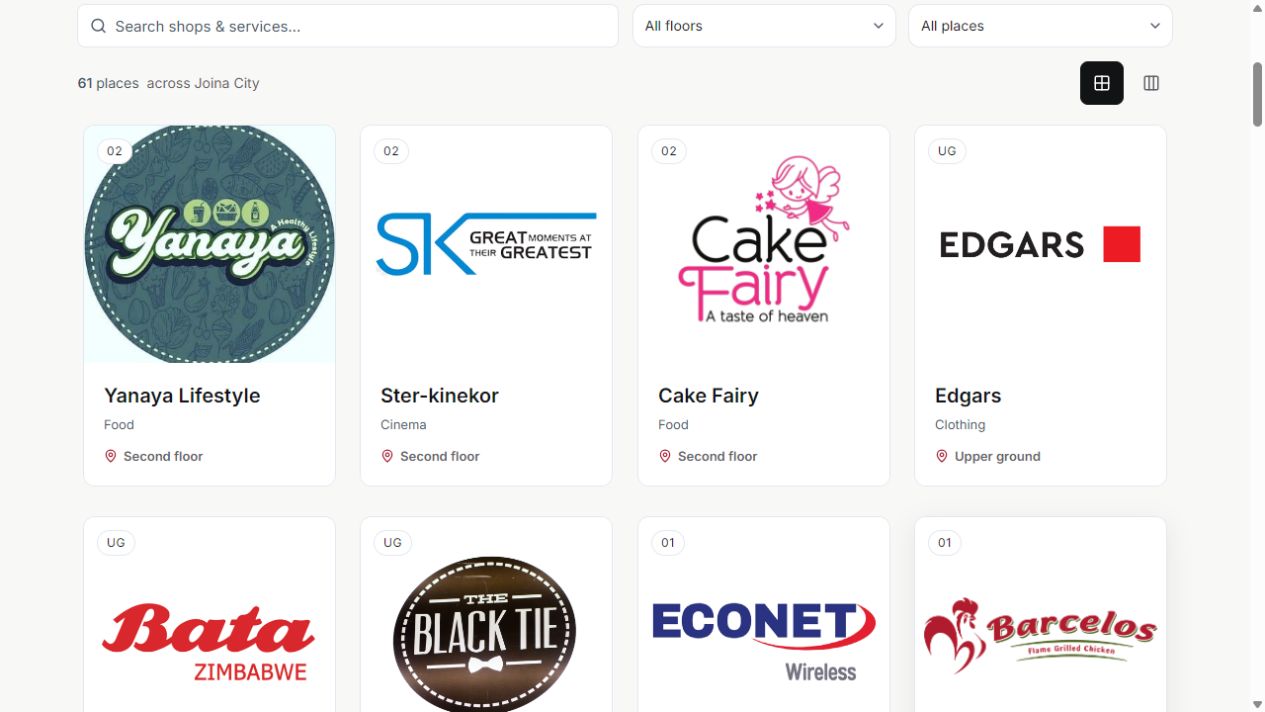
The complete directory contains 61 places from Joina City's published listings, captured on 3 September 2026. Search, floor filters and categories give visitors several ways to find a destination.
Each place opens a detail panel with its floor, published description, directions and available contact information. Visitors can travel to that floor or copy a direct link. Missing or unverified information is identified rather than filled with invented details.
Search can reveal matching businesses on other floors. On narrow screens, horizontal shop cards and larger controls make better use of the available width. The visual building journey remains optional for visitors who already know what they need.
The leasing experience includes the published Office 4 listing on the 12th floor, its 12.97 square metre area and its actual listing photographs. Other office-floor views support enquiries without inventing available units.
The representative 3D suite is identified as illustrative and is not presented as the floor plan of Office 4. This distinction lets the model communicate atmosphere while the listing photographs communicate the specific published space.
The enquiry form validates entries and prepares an email for the leasing contact. It can also download the draft. It does not claim that an application has been submitted to a backend or automatically send a message.
Crimson actions, gold accents, charcoal navigation and off-white surfaces follow the supplied brand direction. Inter supports both large headings and dense directory information. The Joina City logo retains its proportions on a light surface.
React manages the interface, Three.js renders the models, Anime.js handles floor and elevator movement, and a scoped GSAP sequence supports the opening scroll reveal. Interior geometry loads when its environment is entered. Rendered-image fallbacks keep the experience usable if WebGL or model loading fails.
Reduced-motion controls, keyboard navigation, shareable floor links and browser Back/Forward behavior support visitors with different needs. Source checks and implementation notes describe these features; they do not amount to a formal accessibility certification.
The prototype demonstrates a complete path from building exploration to shop discovery and leasing enquiries. Its main achievement is connecting the spatial idea to everyday tasks: visitors can explore the model, but they can also bypass it and search immediately.
No conversion, leasing, revenue or visitor-satisfaction improvements have been measured. The project demonstrates implemented design and functionality, with commercial impact still to be tested.
Before an official launch, the business would need to confirm the tenant list, floor mapping, current office availability and final commercial content. Representative phone testing and visitor task testing would then establish how easily people find places and complete an enquiry.
The wider lesson is that an expressive interface earns its place when it gives visitors a clear route to practical information.
Screenshots in this portfolio show the prototype, captured in September 2026. Store and property imagery comes from the published Joina City listings; the underlying photography and trademarks remain with their owners.
Website screenshots captured 19 September 2026 · Live public prototype. This project is an independent concept.